A clear next step.
See approved assignments, read instructions, log completion or a stopped session, and share honest feedback. Accept or set aside parent-suggested goals, connect daily routines to longer ambitions, and track personal milestones.


STUDENT-ATHLETE DEVELOPMENT / BASEBALL
Training, games, school and the people in your corner. One clear plan to help a student-athlete follow through.
Your coaches. Your plan. Your progress.
Working Baseball pilot · Demo uses fictional records.
today’s actions logged
Illustrative preview · Try the real fictional workflow below
GET A FEEL FOR IT
No sign-in. Switch roles inside the demo.
BETWEEN SESSIONS, THE DETAILS MATTER
Training instructions, calendar changes and feedback often live in different places. CHASE YOUR NEXT gives the athlete and their invited adults a shared place to prepare, follow through and see what happened.
ONE ATHLETE. A SUPPORTING TEAM.
See approved assignments, read instructions, log completion or a stopped session, and share honest feedback. Accept or set aside parent-suggested goals, connect daily routines to longer ambitions, and track personal milestones.
Coordinate school, club and specialist dates; suggest goals for the athlete to accept, add optional school priorities and recurring routines from trainer instructions, and see Done / Remind later / Need help responses. Invite specialists when useful.
Invited trainers and specialist coaches assign their own approved instructions, review feedback and record dated assessments. PT assignments stay with an invited clinician.
School and club coaches do not need accounts for parents to add schedule information. Private specialists can join by invitation where useful.
BASEBALL / INSIDE THE WORKING DEMO
TRY THE ATHLETE’S VIEW
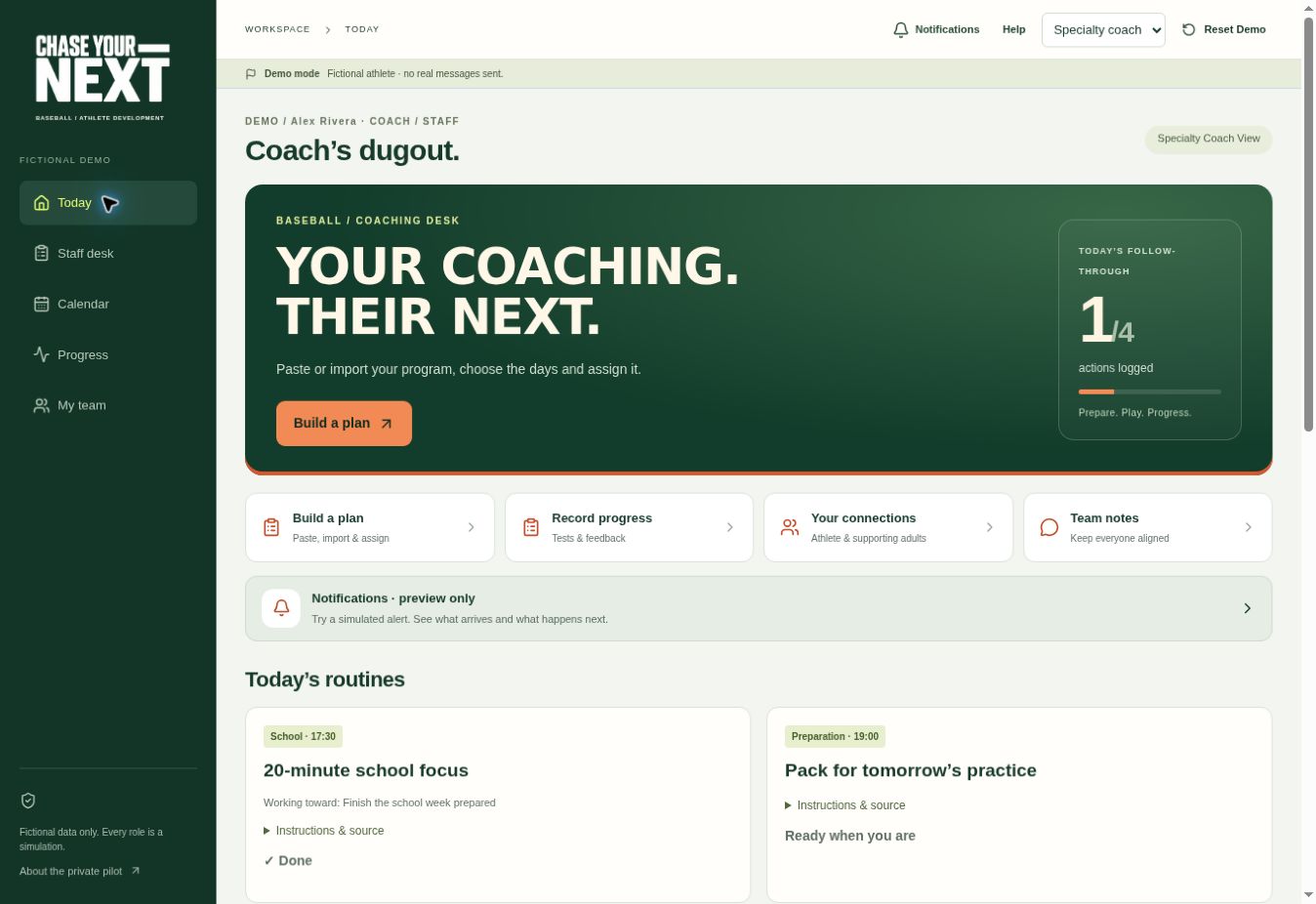
This is the working demo, using fictional records on this browser. No messages or notifications are sent.
An invited batting coach enters their own instructions, selects Monday and Wednesday across two weeks, previews four dates and approves the assignments. Each session has its own completion and feedback.
A parent adds school practice and a facility session. The shared calendar flags an overlap so the family can resolve it. These are entered plans, not live booking confirmations.
Record dated assessments with sources and test conditions. Structured charts compare matching conditions, alongside goals and completed sessions. Results are entered records, not automatic device feeds.
Batting, throwing/pitching, fielding, speed/agility and general development labels support different coaching contributions.
Trainer-approved strength and clinician-approved PT can sit beside the baseball schedule. A coach cannot create or change PT assignments.
Distinguish school, club, facility, private-coach and home sessions across fall ball, winter preparation and spring season.
TRY THIS FIRST / A THREE-MINUTE TOUR
No sign-in for the demo. Role switching and alerts are simulated. Your private family uses separate accounts and invitations.
BIG AMBITIONS. SMALL DAILY ACTIONS.
A family might discuss playing in college, improving speed or building strength. Parents suggest goals; athletes choose which to accept and work toward. Optional school goals can keep study priorities alongside sport.
A parent can enter an evening routine already provided by a trainer, record its source and date, choose repeat days, and link it to a goal. The trainer does not need an account to have their supplied instructions recorded accurately.
The athlete chooses Done, Remind later or Need help. Parents see those responses and can request an optional follow-up. Reminder settings respect quiet hours; the demo simulates reminders and sends no notifications.
FACILITY CUSTOMIZATION / CONCEPT
Explore a facility proposal built on the existing CHASE YOUR NEXT app: owner and staff visibility, an illustrated all-athlete overview, family coordination, booking options and a practical pilot. Start with the software the facility already uses; agree on connections and the first useful improvement. The proposal separates working athlete features from facility tools still to build. This is not an official partnership or a live booking integration.
Explore the Performance EDU proposal ↗Family access supports multiple parents, guardians and stepparents. Each uses a separate login. Parents can create email-bound invitation links and QR codes for their invited support team.
FOR CLUBS, COACHES & FACILITIES
Bring your existing instructions, terminology and coaching approach. We can discuss a branded pilot built around the athletes and families you serve.
Program display name and accent, separate athlete workspaces, invitations, your instructions and videos, parent calendars and dated assessments. Staff can switch between families that have invited them.
One willing coach, three to five consenting families, and a proposed two-to-four-week trial. Evaluate assignment time, player understanding, schedule usefulness and the quality of feedback.
Define branding, privacy, onboarding, support and commercial terms together. A central club roster, bulk assignment and organization administration need further development.
Tell us your sport, club or facility, approximate pilot size and the workflow you want to improve. This is a pilot invitation, not an announced club partnership.
PEOPLE STAY RESPONSIBLE
Parents choose the invited support circle and verify identities and roles. All invited members can see that family workspace’s shared assignments, feedback and notes; granular clinical sharing is not implemented. This is not a clinical record system.
Parent-transcribed training plans remain unapproved references until responsible staff approve them. Separately, parents can schedule home routines using instructions already supplied by a trainer, with the source clearly attributed; this does not claim in-app professional approval. Only invited clinicians can activate or revise PT assignments. The pilot does not independently verify professional credentials. AI does not prescribe rehabilitation, override restrictions or make return-to-play decisions.
WORKING EARLY PILOT
The public demo connects fictional records across simulated roles and saves changes in your browser. Reset Demo restores its starting state. No real messages are sent.
The separate private pilot has authenticated family workspaces and invitation controls. Real multi-account onboarding and physical-phone delivery still need validation.
Text/JSON program import is implemented; live browser file-import testing remains pending. Demo reminder previews are simulations.
For the athlete. For their family. For the people coaching them.